Temperature log app for UK food businesseswithout the paperwork.
TempTake helps kitchens record fridge, freezer, delivery, cooking, reheating and hot holding checks with initials, timestamps, corrective actions and manager visibility.
Staff log checks on phone, tablet or Android app. Managers can review records remotely. Reports are ready when someone asks instead of hiding in a folder with yesterday's abandoned prep list.
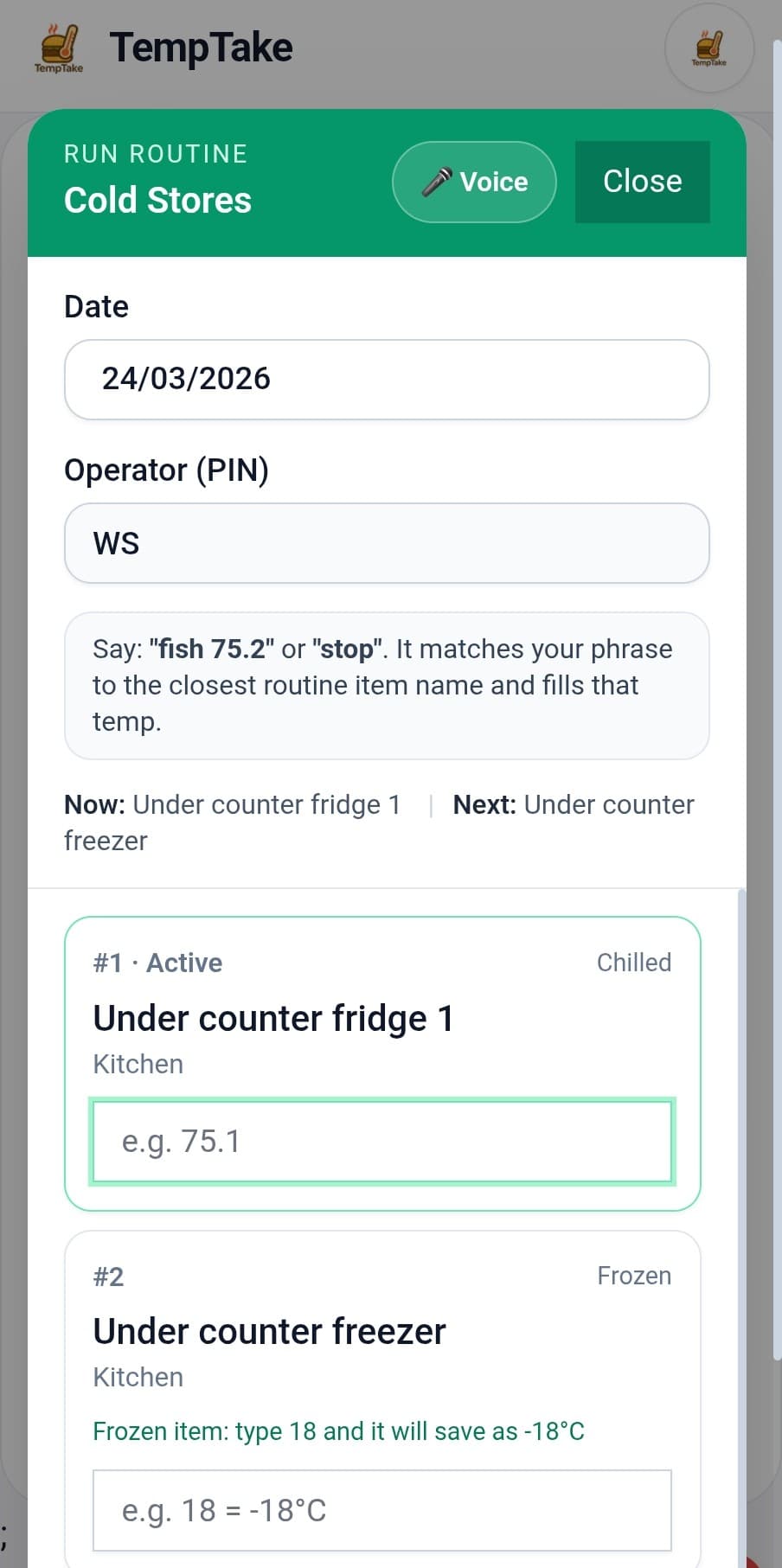
What the temperature log app records
Use it for the checks that actually matter in your kitchen instead of creating extra paperwork that slows down a busy shift.
Fridge temperature logs
Freezer temperature logs
Delivery temperature checks
Cooking probe checks
Reheating checks
Hot holding temperature logs
Cooling records
Corrective action re-checks
Built around the checks that go wrong first
Temperature records only help if they are completed at the right time, with useful detail and a clear response when something fails.
Fridge and freezer logs
Record chilled and frozen storage checks with actual readings, staff initials and timestamps instead of relying on handwritten sheets.
Hot holding checks
Keep hot holding checks visible during service so missed readings and unsafe holding temperatures are easier to spot.
Cooking and reheating records
Record probe checks where your process needs them and keep the evidence linked to the food, time and staff member.
Corrective actions
When a reading fails, staff can record what happened next: moved food, rechecked, adjusted equipment or escalated the issue.
Manager visibility
Managers can check remotely and see what has been completed, missed, failed or left unresolved without waiting until the end of the day.
Inspection-ready reports
Generate temperature records quickly when you need to review performance or show records during an inspection.
Where paper breaks down
- ❌ Staff forget checks during service
- ❌ Readings get copied up later
- ❌ Failed temperatures have weak notes
- ❌ Managers discover problems too late
- ❌ Reports mean hunting through folders
What changes digitally
- ✅ Staff log checks on the device they already use
- ✅ Initials and timestamps are captured clearly
- ✅ Corrective actions stay linked to failed readings
- ✅ Managers can review records remotely
- ✅ Reports are ready faster when requested
Temperature records should lead to action, not just numbers
A temperature reading is only half the story. The important part is what happens when the reading is outside your limits. TempTake is designed to capture the follow-up so your records show how an issue was handled.
Choose the item or unit, enter the reading and save the record.
The system makes out-of-range checks visible instead of burying them.
Add corrective action and re-check details where needed.
See what happened across the day, site or reporting period.
Food moved to backup fridge. Engineer called. Re-check completed at 3.9°C.
Works for different types of food business
Temperature logging is not identical in every kitchen. Choose the sector page that matches the way your business actually works.
Temperature log resources
Helpful pages for search visitors who need guidance first and software once they are ready to compare digital recording options.
What to record, how often and what EHOs expect to see.
A simple paper-style template for chilled storage checks.
Useful if you want a template alongside your digital workflow.
See how temperature logging fits with cleaning, allergens and training.
Temperature log app FAQs
Straight answers for kitchens comparing paper sheets with digital records.
Is this just a fridge temperature log app?+
No. TempTake can handle fridge, freezer, delivery, cooking, reheating, cooling and hot holding records, depending on how your business is set up.
Can staff use it during service?+
Yes. The logging flow is built for quick use on phones, tablets and shared Android devices so checks can be completed during normal kitchen work.
Does it record corrective actions?+
Yes. Failed readings can be recorded with corrective action and re-check information, so the follow-up is documented alongside the original reading.
Can managers see missed temperature checks?+
Yes. Managers can review completed, missed, failed and unresolved checks remotely instead of discovering problems after the shift.
Is the Android app available on Google Play?+
Yes. TempTake is available as an Android app on Google Play for daily logging and kitchen use.
Does this replace my food safety responsibilities?+
No. It helps you keep clearer records and run a more consistent system, but your business is still responsible for safe food handling and suitable procedures.
Move temperature logs out of the folderand into a system staff can actually use.
TempTake helps UK kitchens keep temperature checks consistent, visible and easier to report. Use it on web, mobile and Android devices from Google Play.